
Stockroom
Warehouse, recipe and production management for businesses that turn raw materials into finished goods. Every material carries a cost, every stock lot carries a batch and an expiry, and every quantity change is a signed, timestamped movement.
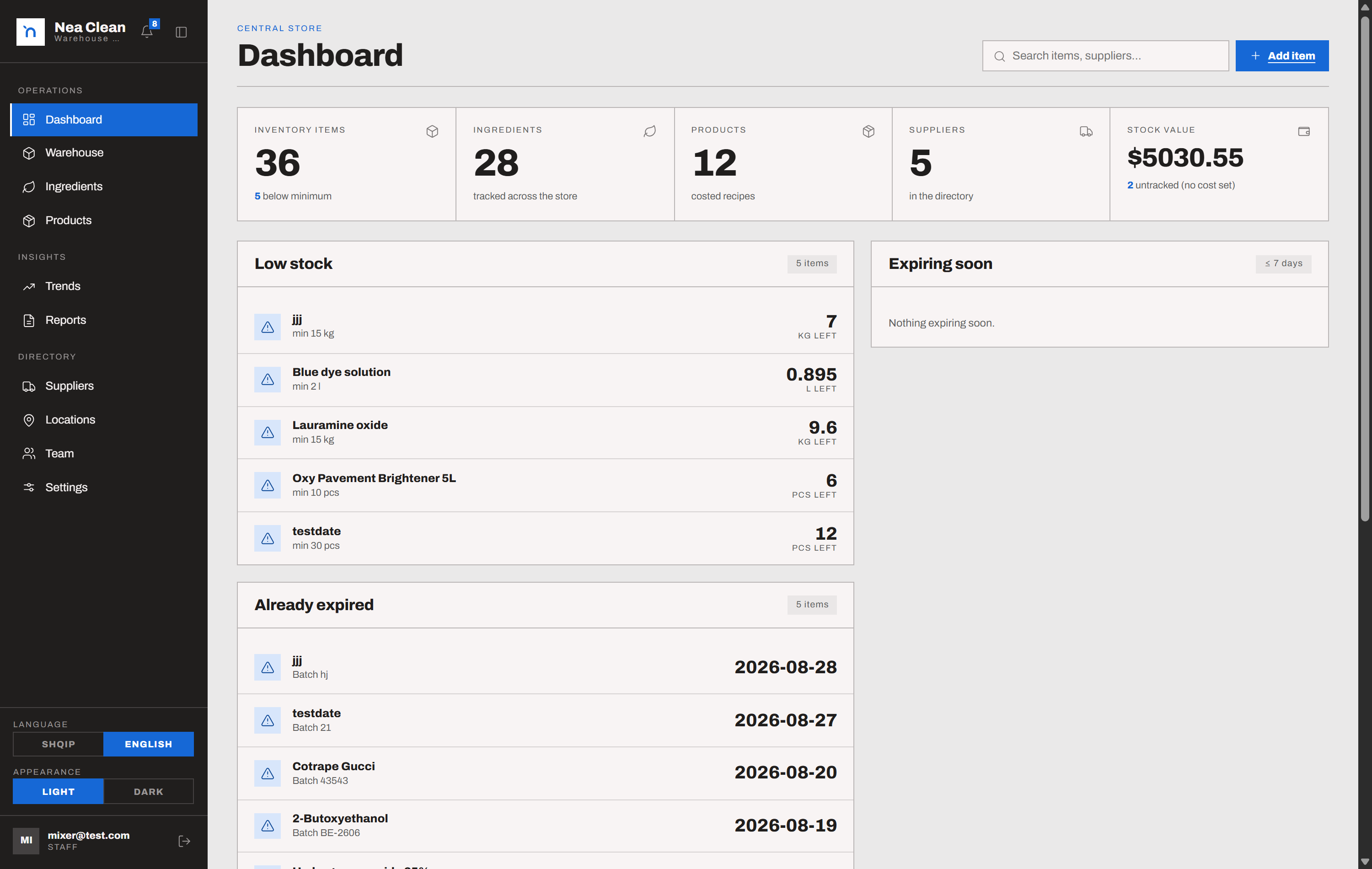
The dashboard - stock value, low-stock and expiring items, and the live movement feed
From raw material to finished product
04 stepsEvery material is defined once, with its cost and supplier
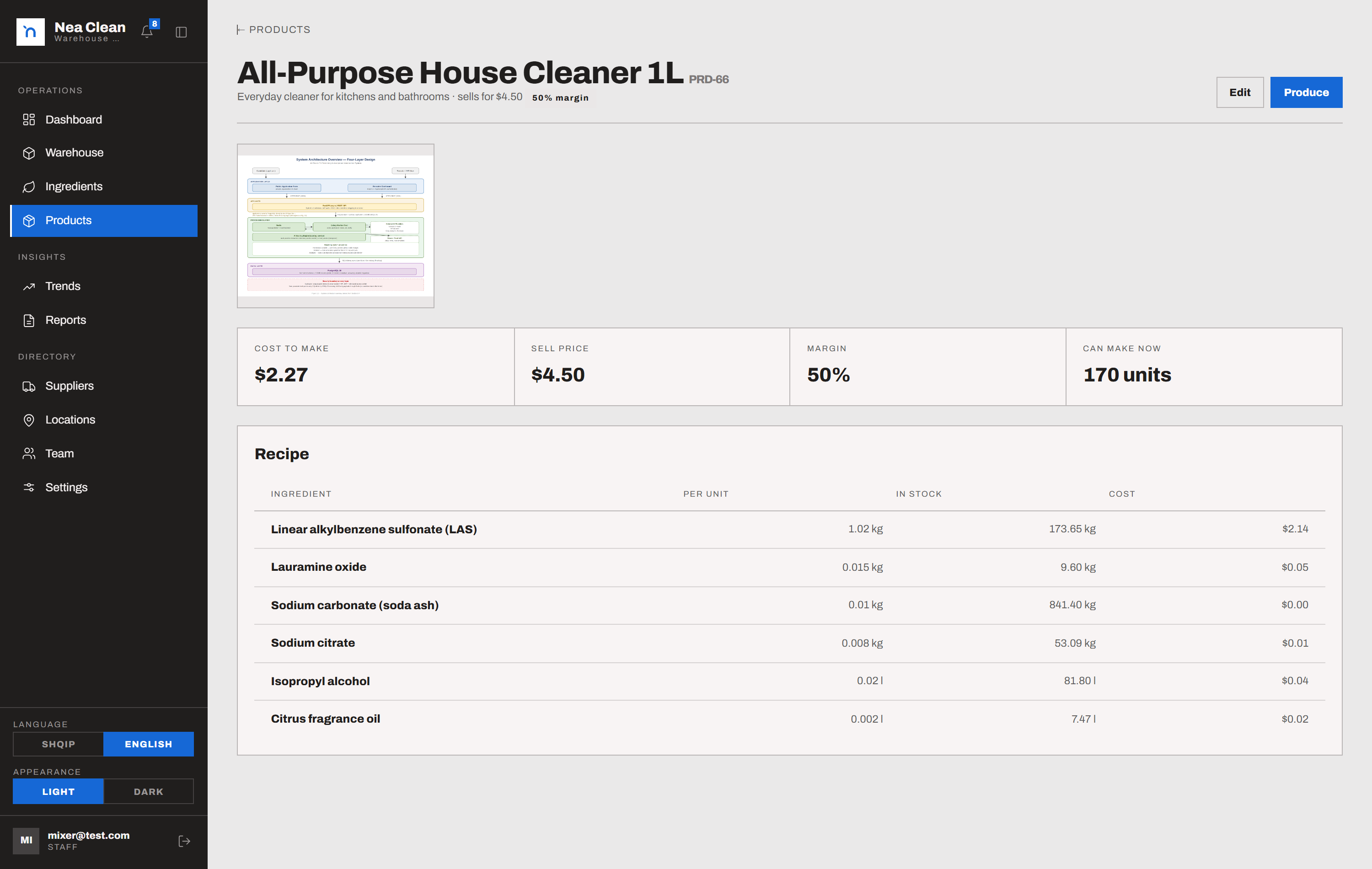
Ingredients are the base materials the business buys - each with a default unit, a cost per unit, a supplier and a shelf life. Products are what you sell, built from a recipe of those ingredients, with a live cost and margin.
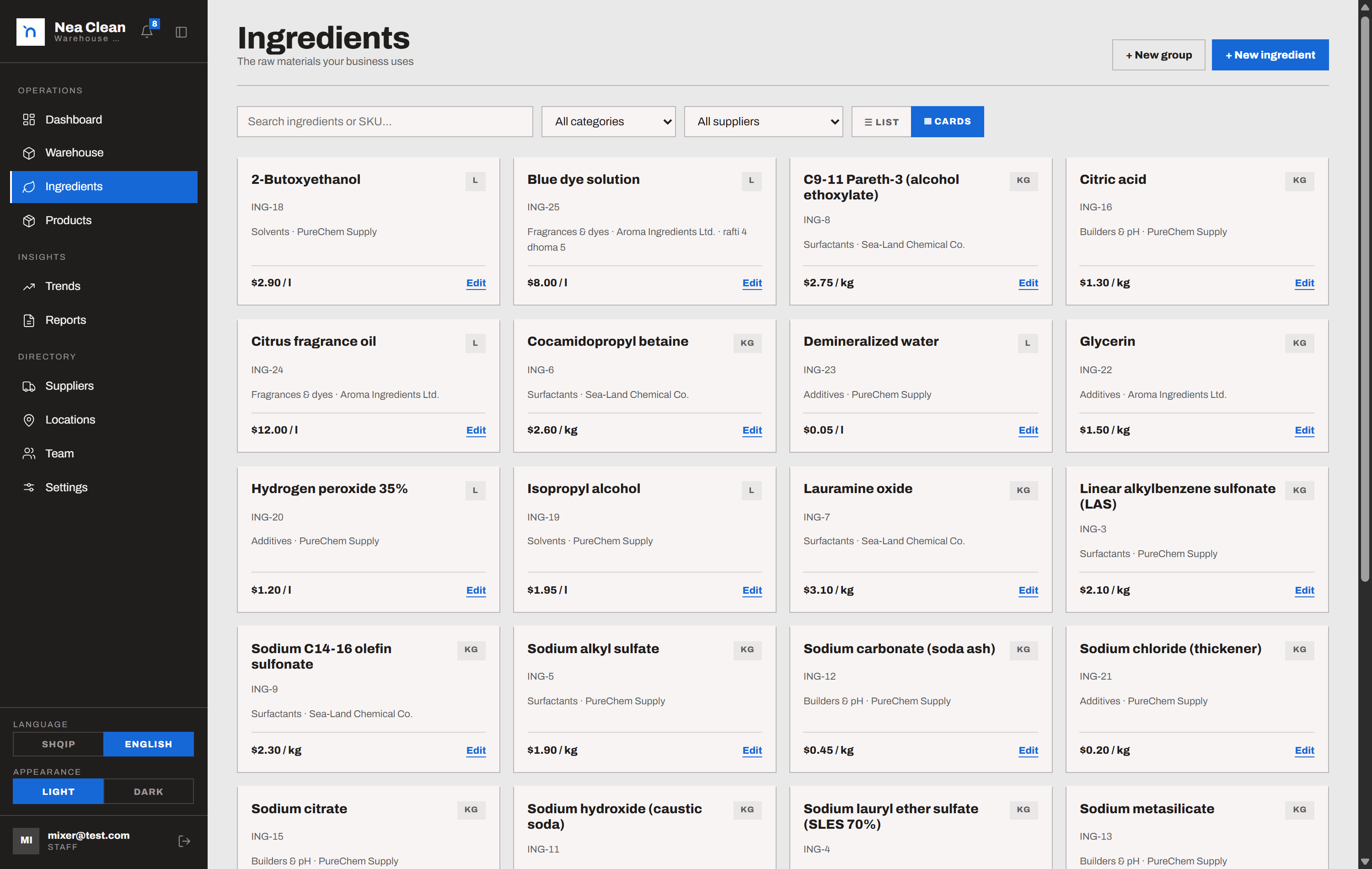
Ingredients directory with cost per unit and supplier
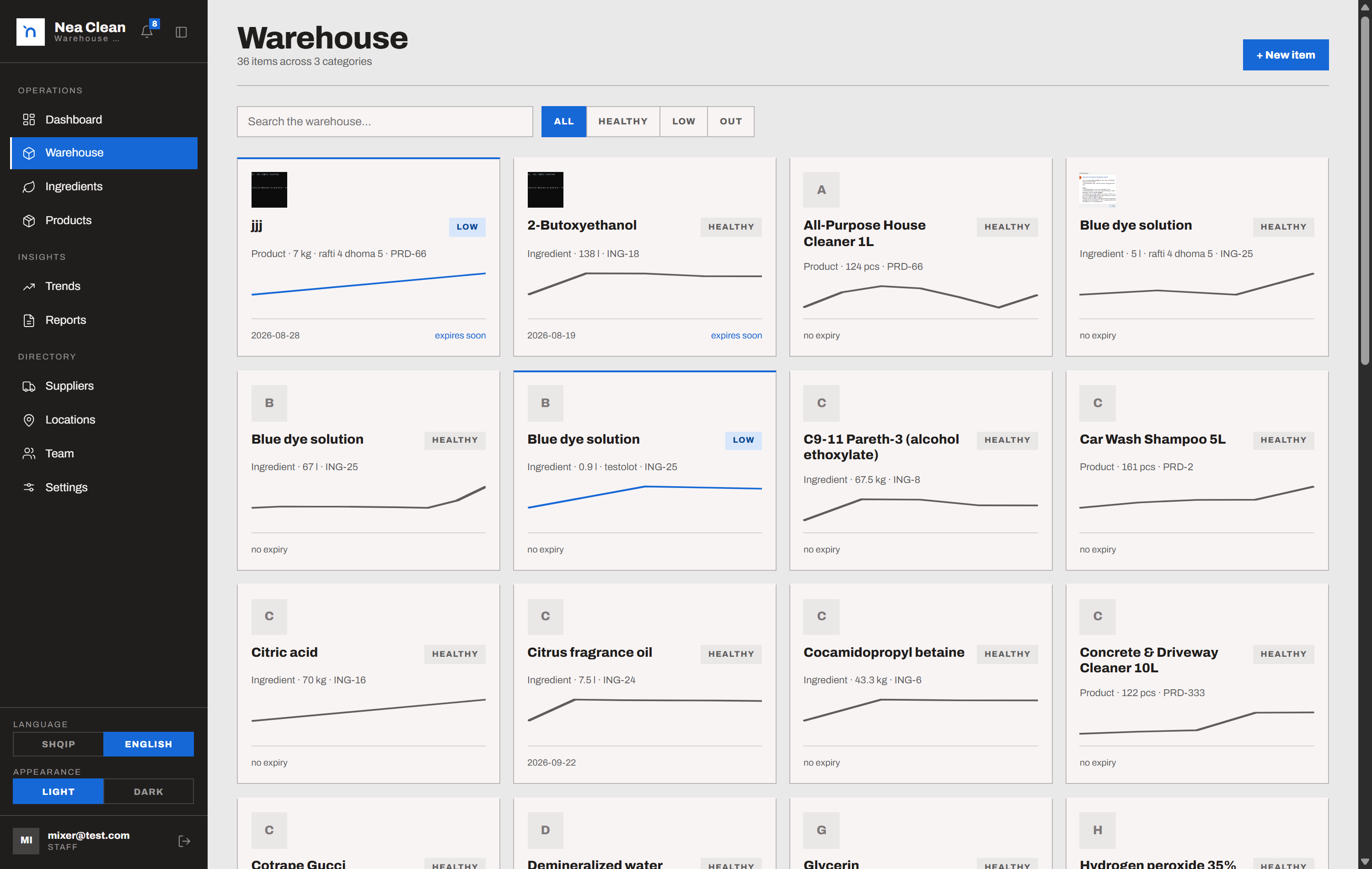
Stock arrives as a lot, with a location, a batch and an expiry
A warehouse item is an actual quantity on a shelf. It carries its unit, a bin location, a batch code, an expiry date and a minimum level - and links to an ingredient, a product, or stands alone.
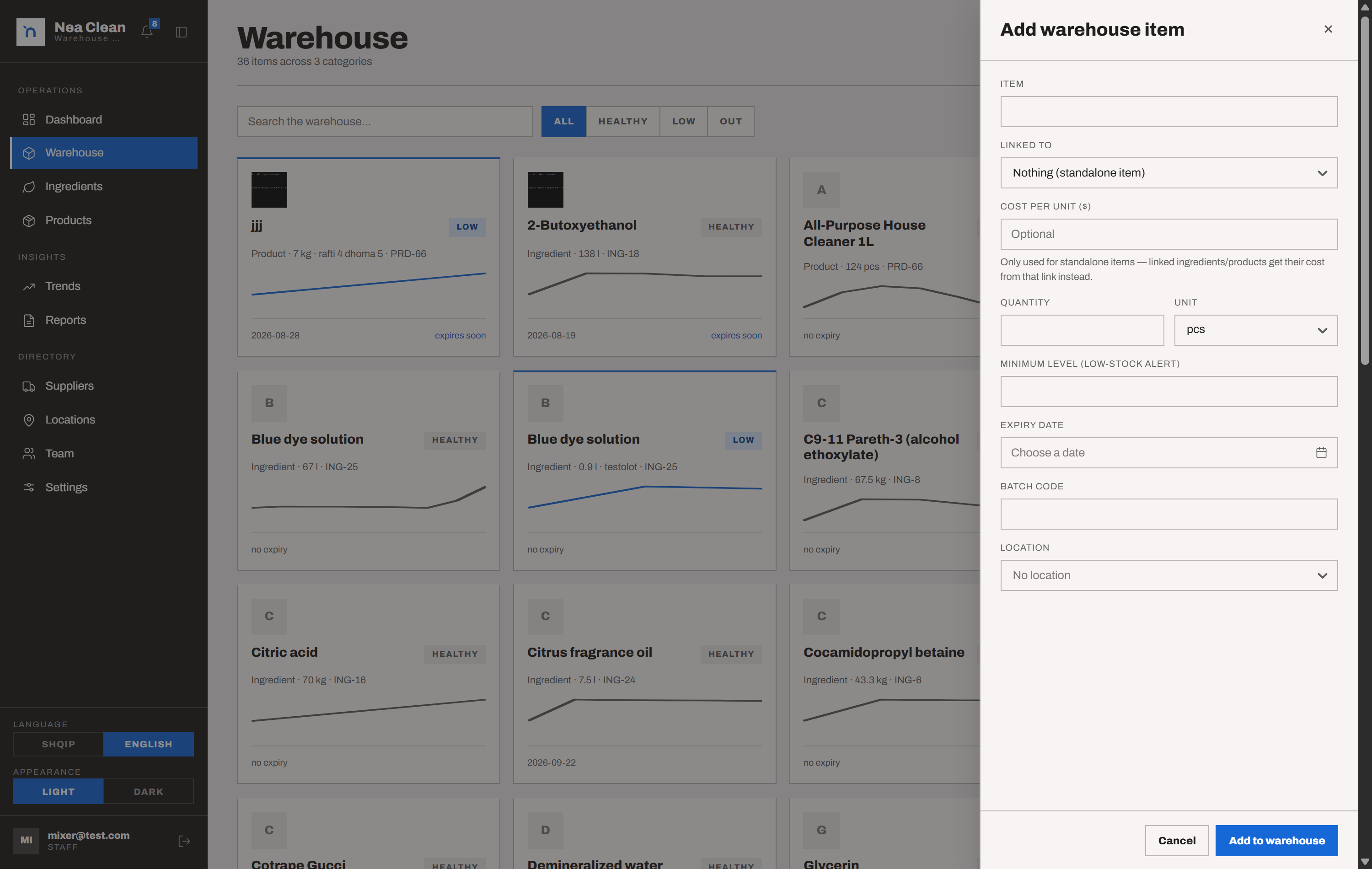
New warehouse item - unit, location, batch code, expiry and minimum
Every quantity change is a movement, signed and timed
Receiving, using, spoilage and corrections all go through one adjust step that asks for a reason and an optional note. The movement history below the item never rewrites itself; deletes are owner-only.
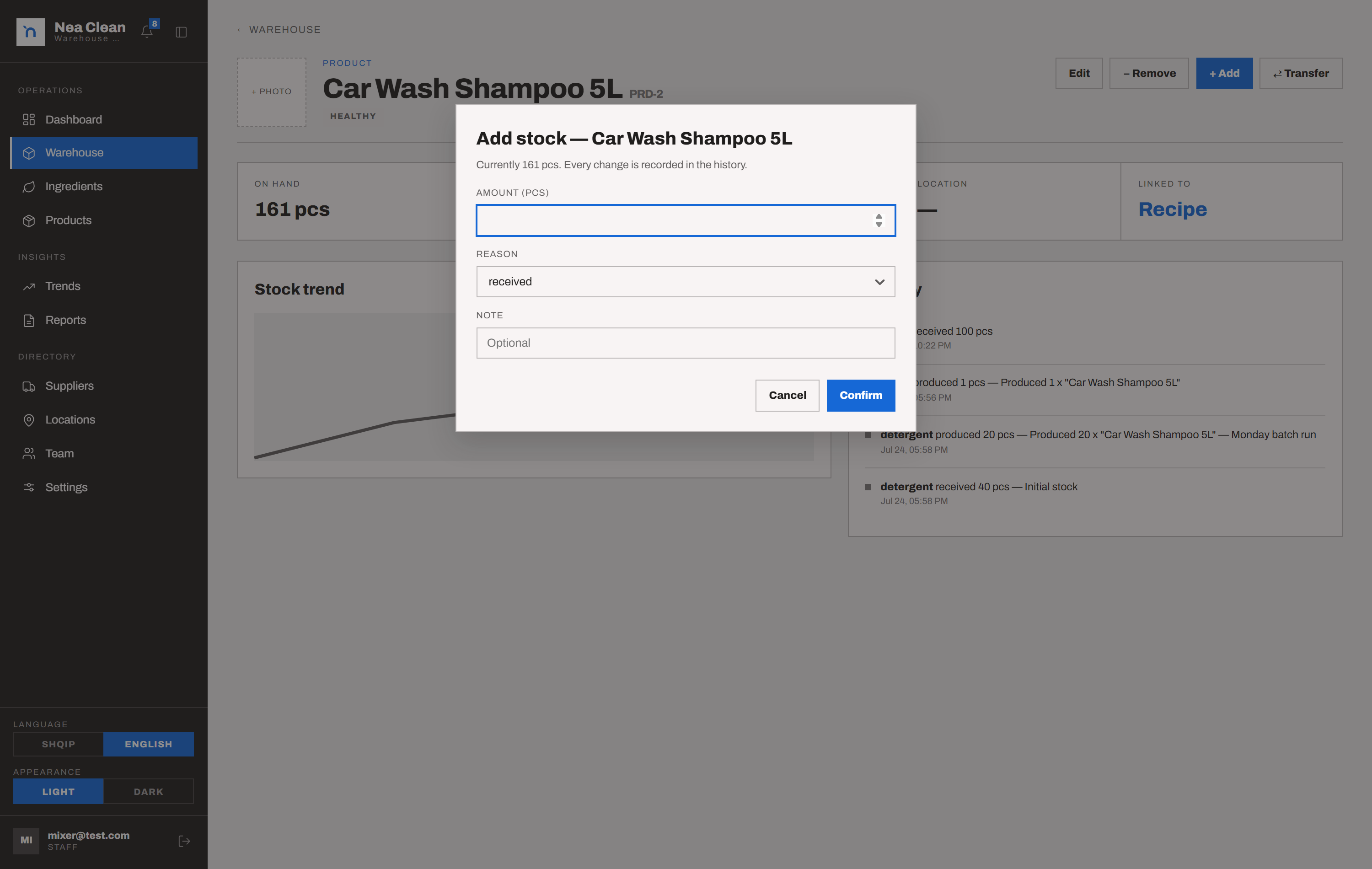
Adjusting stock with a reason, over the item’s movement history
Producing a batch deducts the recipe, earliest expiry first
Recording a production run consumes the recipe from stock oldest-expiry-first and unit-converted, then reports the batch cost, the sell price and the margin. The screen shows how many you can make right now.
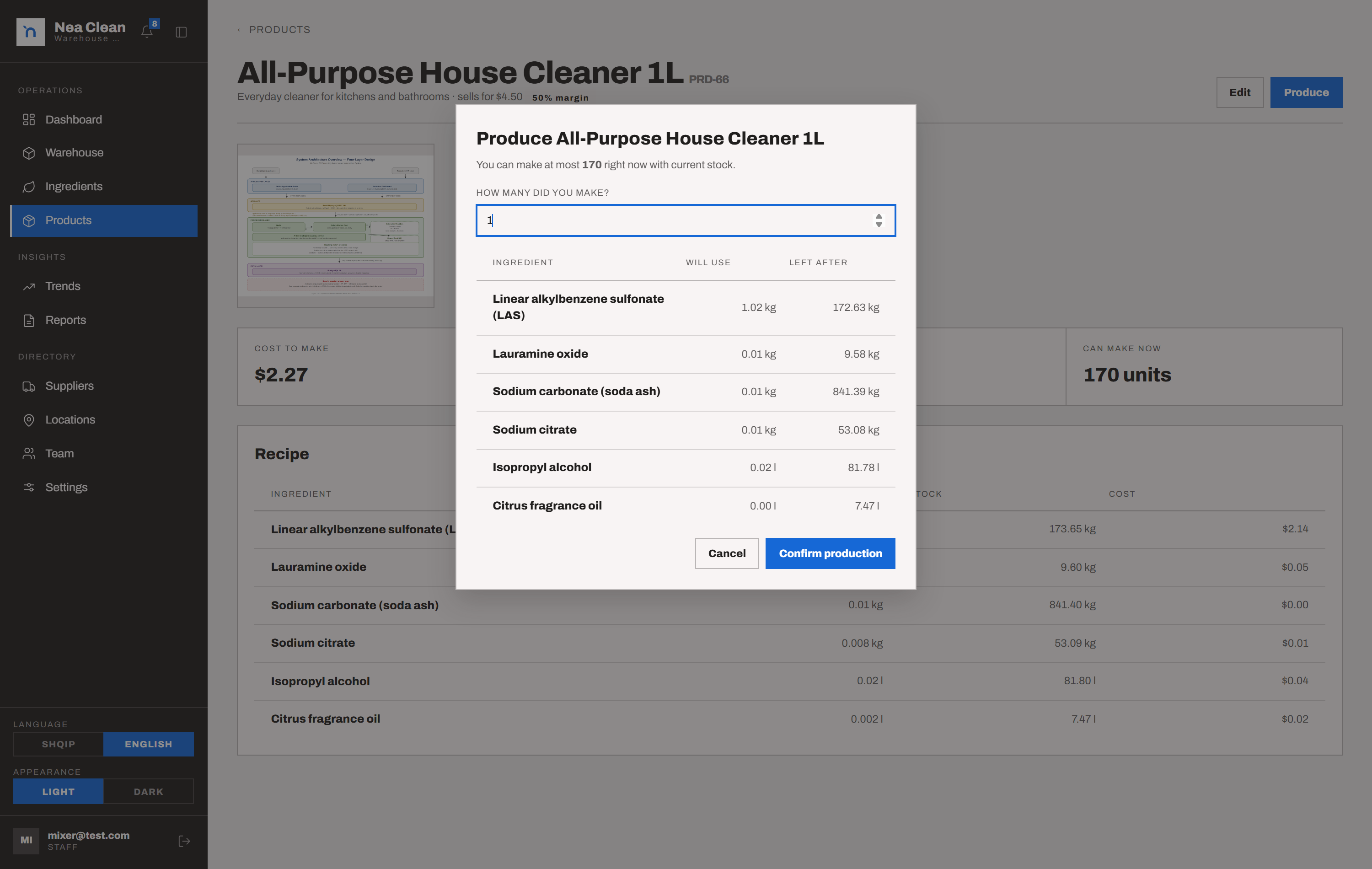
Produce dialog - what it will use, what is left, and the margin
What ships in Stockroom
06 capabilitiesBase materials with a cost and a supplier, reusable ingredient groups, and products built from a recipe that prices and margins itself.
Every stock item carries a location, a batch code, an expiry date and a minimum level, and links to an ingredient, a product, or nothing.
Received, used, produced, spoiled, adjusted and transferred - each with the user, the timestamp and an optional note. Deletes are owner-only.
A production deducts its recipe from stock earliest-expiry-first, converting units as it goes, and returns the batch cost and margin.
Low stock, expired and expiring-within-7-days show on the dashboard and the bell. Dismiss one and it returns if the item is restocked with a new expiry.
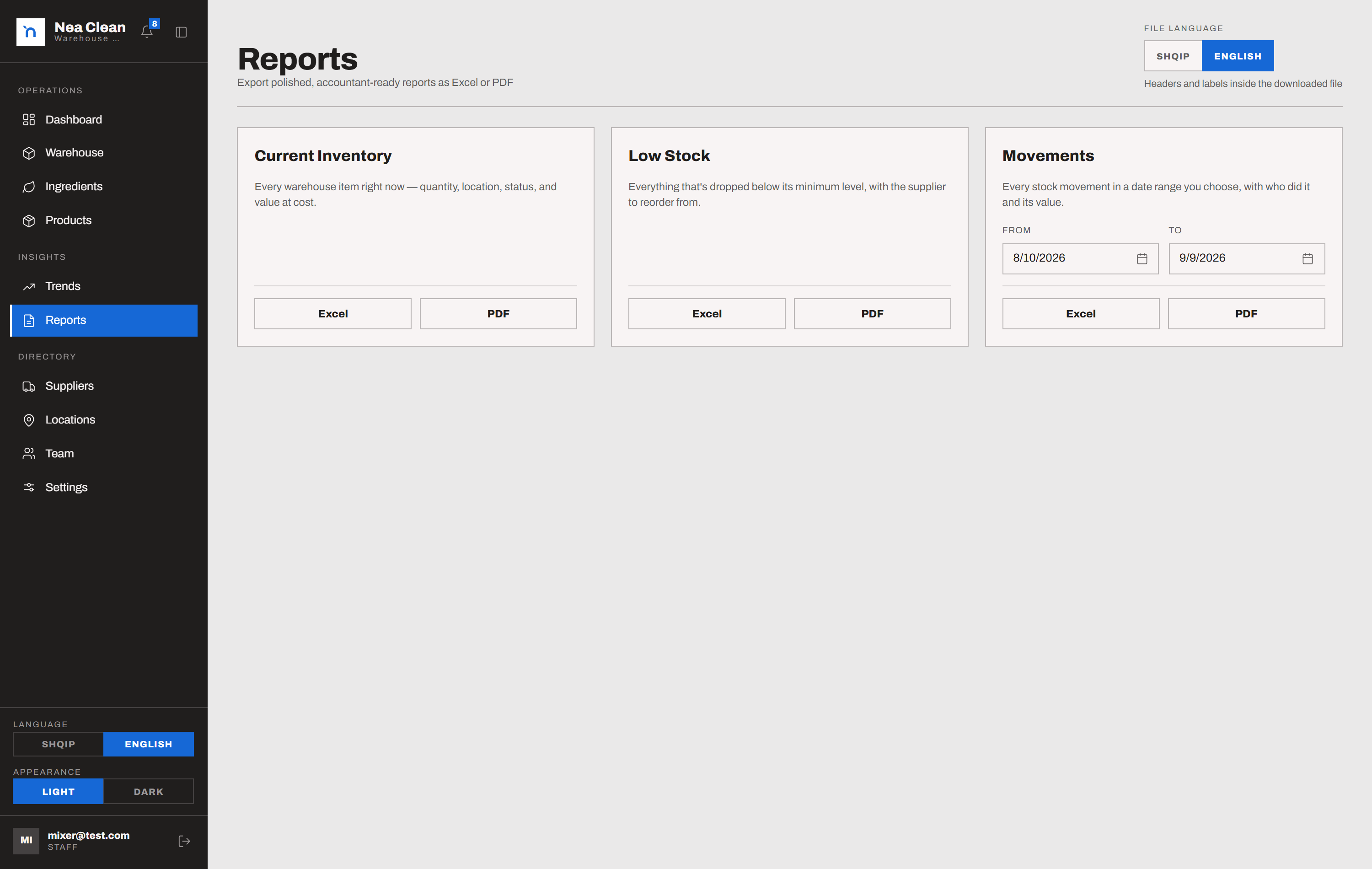
Current inventory, low stock and movements over any date range, as Excel or PDF, in English or Albanian regardless of the interface language.
Interface reference
Screens 01–04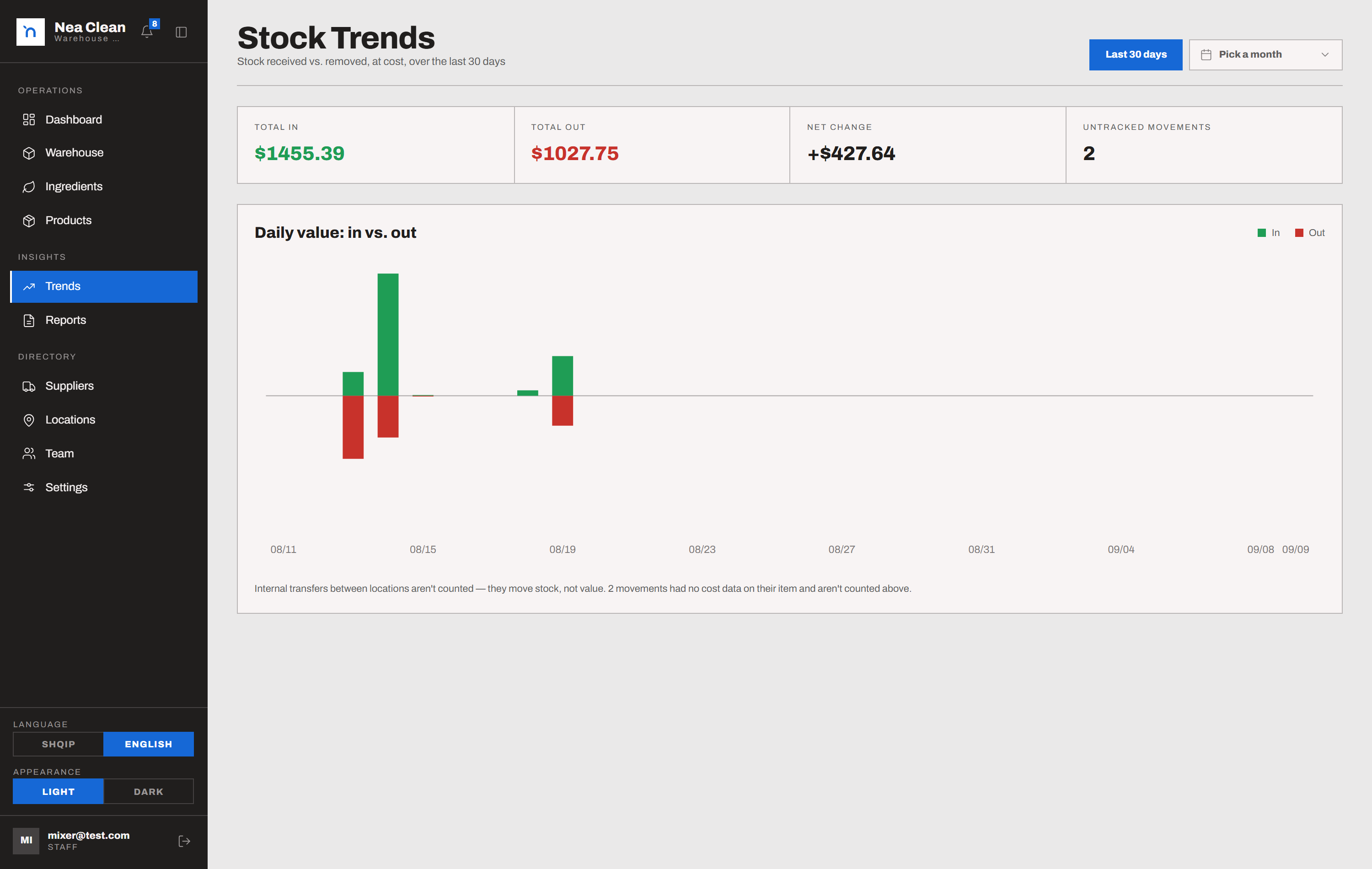
Built for businesses that make things
Stockroom fits the business that buys raw materials, holds them in a warehouse and turns them into products to sell. It tracks the material, the recipe, the batch and the cost - and the person who touched each one.
Typical operation: 1–8 locations, one shared storeroom
Send us your material list, a few recipes and a month of stock movements. We'll load them into Stockroom and show you the batch costs and the reorder list.
Book a demo